
Your Keyboard Is Dirtier Than You Think
An electric air duster for keyboard cleaning is one of the smartest tools you can own if you care about a clean, healthy home workspace. Here are the top picks to consider:
Top Electric Air Dusters for Keyboard Cleaning:
| Model | RPM | Battery | Price |
|---|---|---|---|
| FOUKUS | 200,000 | Rechargeable | ~$29.99 |
| Fanttik B11 Pro Max | 150,000 | 28.08Wh, USB-C | ~$60+ |
| NEXPOW | 150,000 | Rechargeable | ~$29.99 |
| MelGeek Electric Air Duster | 100,000 | 6,000mAh, USB-C | Mid-range |
| MECO | 100,000 | Rechargeable | ~$24.99 |
Think about what lives between your keyboard keys. Dust, pet hair, crumbs, and skin cells build up over time. That buildup doesn’t just look bad — it can affect your indoor air quality every time you type.
Most people never clean their keyboards. And when they do, they grab a can of compressed air. But canned air has real problems. It often contains flammable propellants like butane, loses pressure at certain angles, and runs out fast.
Electric air dusters solve all of that. They’re rechargeable, chemical-free, and can hit speeds of up to 200,000 RPM — more powerful than any can you’ll find at a store.
One forum user described their electric duster as “like a mini leaf blower, more powerful than any can I’ve used.” That’s the difference.

What is an Electric Air Duster for Keyboard Cleaning?
At its core, an electric air duster for keyboard cleaning is a high-powered, handheld electronic device designed to replace disposable canned air. Unlike “canned air,” which is actually a liquid propellant that turns into gas, an electric duster uses a sophisticated internal motor and fan system to pull in ambient air and blast it out at high velocity.
The Mechanics of Airflow
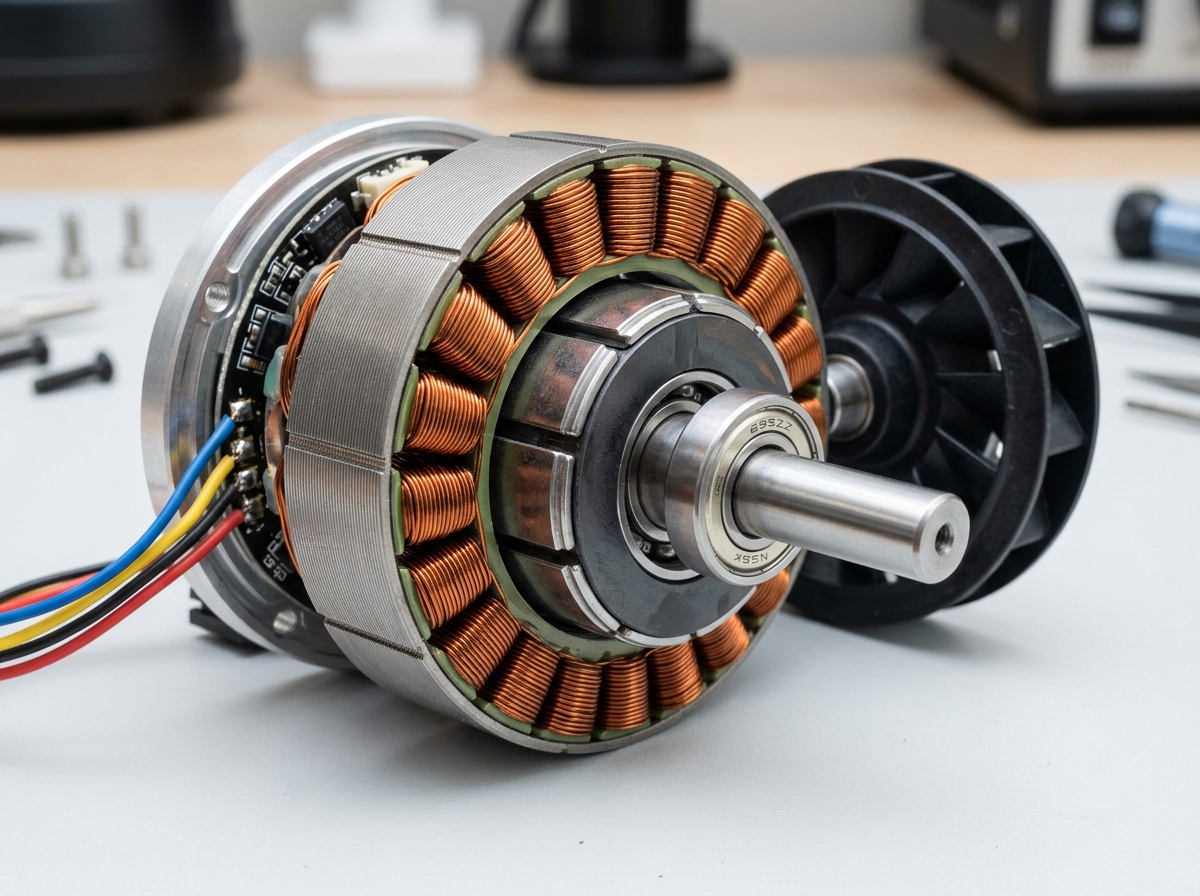
The heart of these devices is the motor. Modern dusters typically utilize brushless technology, which allows for higher speeds, less heat generation, and a much longer lifespan. When we look at the specs, we often see “RPM” (revolutions per minute). While a standard household hair dryer might seem similar, it doesn’t have the concentrated pressure needed for electronics.
High-end models, such as those from MUNBYN or Fanttik, feature motors spinning between 100,000 and 150,000 RPM. This creates a “wind tunnel” effect, producing wind speeds of up to 80 meters per second. This level of force is essential for removing dust from electronics where debris can become wedged under mechanical switches or deep within heat sinks.
Precision Engineering
To make that airflow useful for a keyboard, these devices come with precision nozzles. A long, thin nozzle concentrates the air into a narrow stream, allowing us to target the tiny gaps between the “A” and “S” keys where your lunch crumbs likely reside. Some models, like the MelGeek Electric Air Duster, are specifically designed with mechanical keyboard enthusiasts in mind, using durable materials like ABS, nylon, and fiberglass to ensure the tool lasts as long as your premium peripherals.
Benefits of Electric Dusters vs. Traditional Methods
We’ve all been there: you tilt a can of compressed air just a little too far, and suddenly a freezing-cold liquid sprays all over your expensive motherboard. That is one of the biggest risks of traditional methods that an electric duster eliminates.
Comparison of Cleaning Methods
| Feature | Electric Air Duster | Canned Air | Vacuuming |
|---|---|---|---|
| Reusable | Yes (Infinite) | No (Single Use) | Yes |
| Chemical-Free | Yes | No (Butane/Propellants) | Yes |
| Static Risk | Low (if used correctly) | Minimal | High (unless ESD-safe) |
| Pressure | Consistent & Adjustable | Drops as can gets cold | Constant Suction |
| Environmental Impact | Low | High (Waste & GHGs) | Low |
Cost-Effectiveness and Sustainability
While an electric duster might cost between $30 and $60 upfront, it is a one-time investment. If you buy two cans of compressed air a year at $5 to $10 each, an electric duster pays for itself in just a few years. More importantly, you aren’t contributing to the mountain of empty aerosol cans in landfills. Using an electric tool is one of many dusting tips for better air quality because it doesn’t release bitterants or greenhouse gases into your home office.
Safety and Versatility
Canned air is surprisingly dangerous. Many brands use flammable propellants. There are documented cases of “midnight fireworks” when users tried to blow-dry a keyboard that had a liquid spill while still plugged in. Electric dusters use nothing but the air around you. Furthermore, they are versatile. Beyond the keyboard, you can use them to clean car vents, camera lenses, and even inflate a yoga ball or an air mattress, as seen with models like the KIBBIX Cordless Air Duster.
Key Features to Look For in a Keyboard Duster
When you’re shopping for the best electric air duster for keyboard cleaning, don’t just look at the price tag. The “cheapest” model might lack the battery life or the specific attachments you need to get the job done right.
1. Motor Power and RPM
As we noted in our comparison table, RPM is a huge factor. Look for a motor that hits at least 40,000 to 50,000 RPM for basic cleaning, but if you have a deep-dish mechanical keyboard or a dusty PC case, aim for the 100,000+ RPM range. The AirBlast Pro offers powerful 70W airflow, which is more than enough to dislodge stubborn pet hair.
2. Battery Capacity and Charging
Most modern dusters use USB-C charging, which is incredibly convenient since you can likely use your phone or laptop charger. Look for a battery capacity of at least 6,000mAh. Some heavy-duty models like the Amazon-listed 51000RPM duster feature multiple battery sections to provide longer runtimes. A high-capacity battery ensures you can finish cleaning your entire setup—keyboard, mouse, monitor, and PC—on a single charge.
3. Adjustable Speed and “Boost” Modes
Not every cleaning task requires 100% power. Blasting a delicate laptop fan at 200,000 RPM might actually damage the bearings. Look for a duster with “stepless” speed control or at least three gear settings. This allows you to use a gentle breeze for surface dust and a “hurricane mode” for the deep-seated gunk under your spacebar.
4. LED Illumination
It sounds like a gimmick until you use it. Many dusters now include a built-in LED flashlight. Since the gaps between keyboard keys are dark, the light helps you see exactly where the dust is hiding.
Essential Accessories List
A good duster should come with more than just a cord. We recommend looking for a bundle that includes:
- Concentrated Nozzle: For high-pressure spot cleaning.
- Brush Nozzle: To agitate dust while blowing it away.
- Keycap Puller: Essential for deep-cleaning mechanical keyboards.
- Microfiber Cloth: Perfect for wiping down the keys after the dust is gone. Check out our microfiber cloth dusting guide for more on why these are superior to paper towels.
Choosing the Best Electric Air Duster for Keyboard Cleaning
If portability is your main concern, look for a compact, lightweight design like the MUNBYN FV001. If you want raw power and the ability to clean a large desktop PC, a corded model or a high-RPM cordless model like the Fanttik B11 Pro Max is your best bet.
Safety Guidelines and Maintenance Frequency
Using an electric air duster for keyboard cleaning is generally very safe, but there are a few “pro tips” to keep in mind to ensure you don’t accidentally damage your gear.
How to Use an Electric Air Duster for Keyboard Cleaning Safely
- Maintain Proper Distance: Keep the nozzle about 1-2 inches away from the keys. The concentrated air pressure is powerful enough to dislodge debris without needing to touch the components.
- Use Short Bursts: Rather than holding the trigger down for five minutes, use 3-5 second bursts. This prevents the motor from overheating and allows you to see where the dust is moving.
- Angle Optimization: Tilt the keyboard at a 45-degree angle. This allows gravity to help the dust fall out rather than just blowing it deeper into the chassis.
- Watch the Fans: If you are using the duster to clean your PC or laptop, be careful not to let the air spin the cooling fans at high speeds. This can generate back-voltage that might damage the motherboard. Hold the fan blade still with a finger or a toothpick while dusting.
- Static Electricity: While electric dusters are much safer than vacuums regarding static, it’s still good practice to touch a grounded metal object before touching the internal circuit board (PCB) of your keyboard.
Cleaning Frequency
How often should you reach for your duster?
- Daily/Weekly: A quick 30-second blast across the surface of the keys keeps dust from settling into the switches.
- Monthly: A more thorough cleaning where you go between every row of keys.
- Every 6 Months: A “deep clean” where you use a keycap puller to remove the keys and blast the naked PCB. This is the best time to check for any sticky residue that might need a damp cloth.
Frequently Asked Questions
Is an electric air duster better than a vacuum for keyboards?
Generally, yes. Standard household vacuums are notorious for building up static electricity at the plastic nozzle, which can discharge and fry sensitive electronics. Furthermore, vacuums often lack the “reach” to pull dust out from under keys. An electric air duster for keyboard cleaning uses targeted airflow to displace debris, which is much more effective for tight spaces. However, some users prefer a “blow and suck” method where they use a duster to loosen the dirt and a small, ESD-safe vacuum to catch it so it doesn’t just fly into the air.
Can an electric air duster damage laptop components?
It can if you aren’t careful. The main risk is the cooling fan. As mentioned, high-pressure air can spin a fan much faster than it was designed to go, potentially damaging the bearings or the motor. Always use lower speed settings for laptops and keep the nozzle at a safe distance from delicate internal ports.
How often should I clean my keyboard with an electric duster?
If you eat at your desk or have pets, we recommend a quick dusting once a week. For a clean, pet-free environment, once a month is usually sufficient. Regular maintenance prevents “grime buildup,” which is much harder to remove than simple dust.
Conclusion
Investing in an electric air duster for keyboard cleaning is a win for your wallet, your hardware, and the planet. By moving away from disposable canned air, you gain a powerful, multi-purpose tool that ensures your workspace remains pristine. Whether you choose a high-RPM beast like the Fanttik B11 Pro Max or a stylish, portable option from MUNBYN, you’ll wonder how you ever managed with those freezing, chemical-filled cans.
For more expert advice on keeping your home office in top shape, check out our category for cleaning tips and maintain your setup like a pro. At Computadora Agora, we believe that a clean computer is a fast computer—so grab a duster and get to work!
